
Approve every expected difference
See what copies, transforms, or stays behind before creating Jira targets.
APPROVAL-BOUND CLONING FOR JIRA CLOUD
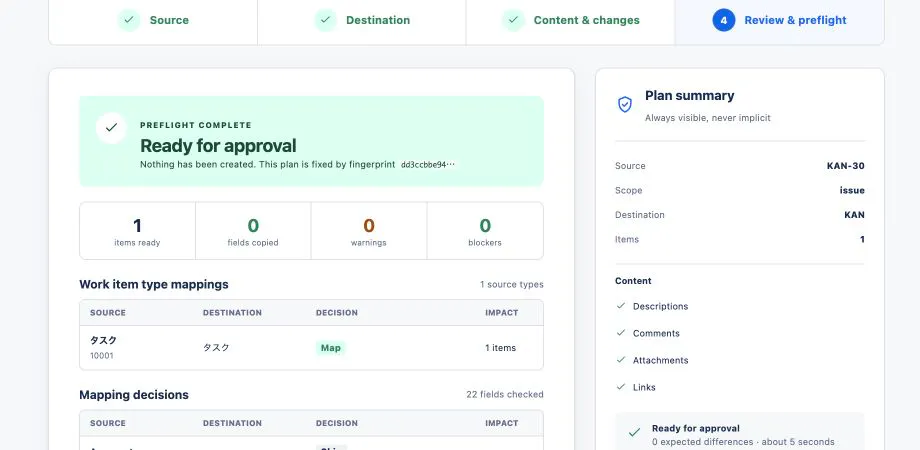
CloneGuard checks what will move before anything is created, stops when the approved conditions change, and reads every result back from Jira.
EXPLAINED LIKE YOU’RE FIVE
Before a moving truck leaves, you write down every box, agree what stays behind, and seal the list. If the destination rules change on the way, the truck stops. At the end, somebody checks every delivered box against the list. CloneGuard does that for Jira work items.
ONE CONTROLLED JOB
WHY TEAMS USE IT
Bulk cloning gets risky when fields differ, permissions change, or a response disappears. CloneGuard makes each risk visible and reviewable.
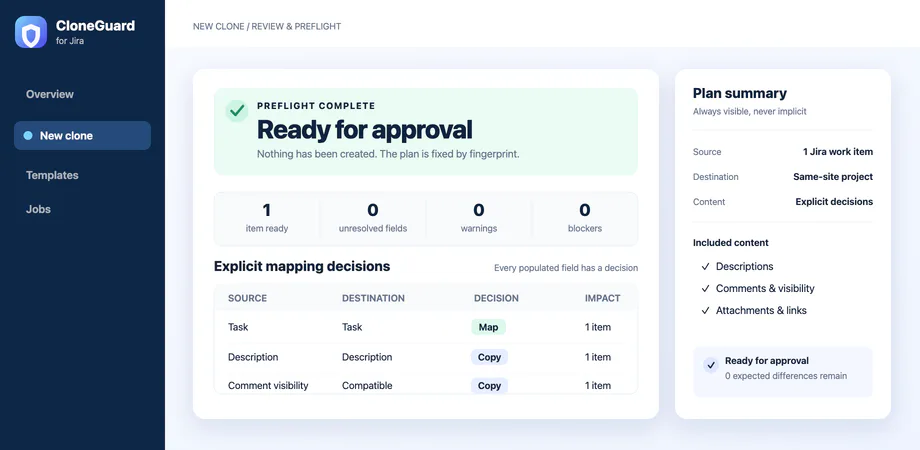
See what copies, transforms, or stays behind before creating Jira targets.
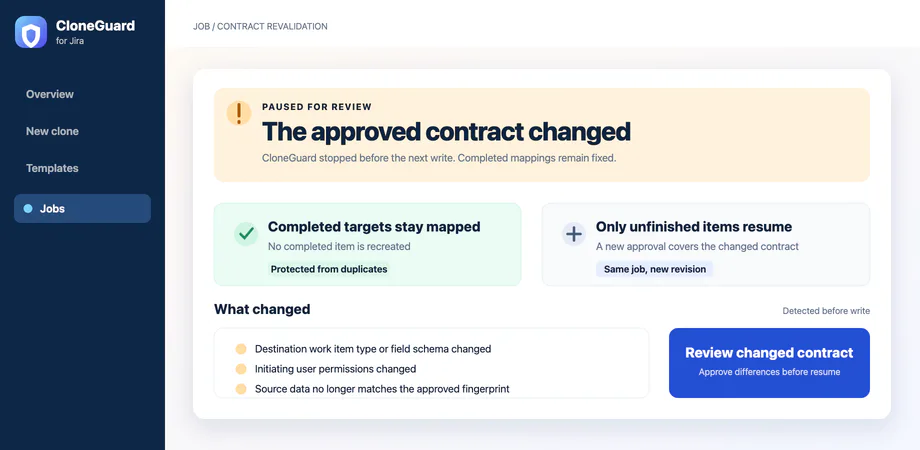
A changed source, schema, or permission set pauses the job before more writes.
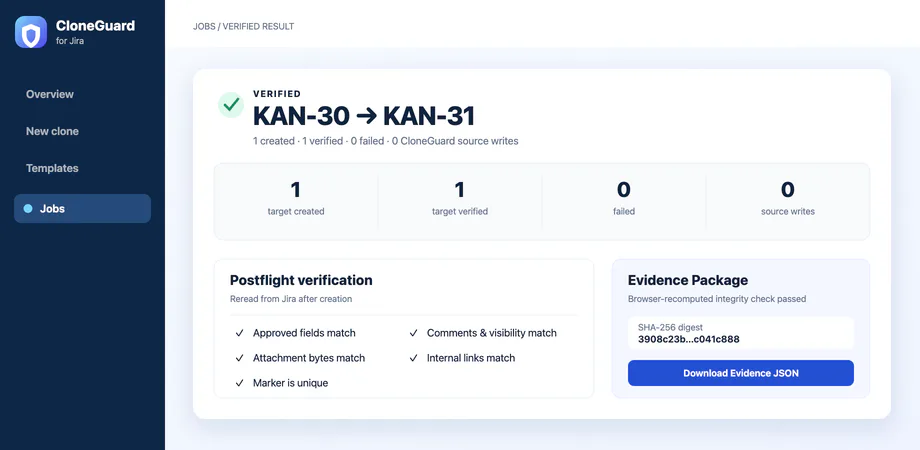
Verified means CloneGuard reread Jira and matched the approved fields and artifacts.
SEE THE CONTRACT
Work-item types, populated fields, expected differences, and blockers stay visible until the plan is ready.
If the contract drifts, CloneGuard compares the old and new plans. Verified targets remain mapped; only unfinished work needs approval.
Every selected source has an explicit result. The browser recomputes the package digest before JSON download or copy.
BUILT FOR THE UNCOMFORTABLE QUESTIONS
CloneGuard records intent first and stops rather than risking an automatic duplicate.
Jira operations run as the initiating user. Current Jira permissions remain the authority.
The target is not called Verified. The mismatch remains visible for repair and read-only re-verification.
CloneGuard runs on Atlassian Forge with no remote backend or external network egress. The Jira app contains no analytics SDK. Analytics on this public website is separate and loads only after consent.
HONEST BOUNDARIES
QUICK ANSWERS
It checks and approves a same-site Jira clone, stops when approved conditions change, and verifies the created targets by reading Jira again.
No. CloneGuard records zero writes to the selected sources.
No. The current product supports destinations on the same Jira Cloud site.
The job pauses. Completed mappings remain fixed and unfinished items require review of the changed plan.
A JSON record of the approval, contract, results, verification outcomes, events, and integrity digest.
AVAILABLE ON ATLASSIAN MARKETPLACE
Start with a 30-day evaluation. Every safety and verification control is included.